Awais Tech Hub
  • Home
  • Services
    Professional WebsitesLanding PagesE-Commerce StoresSEO & PerformanceWebsite SecurityAutomation SolutionsView all services →
  • Book a call
  • Portfolio
  • Blog
  • Pricing
  • About
  • Contact
Get Quote
  • Home
  • Services
    • Professional Websites
    • Landing Pages
    • E-Commerce Stores
    • SEO & Performance
    • Website Security
    • Automation Solutions
    • View all services →
  • Book a call
  • Portfolio
  • Blog
  • Pricing
  • About
  • Contact
  • Get Free Quote
  1. Home
  2. /
  3. Blog
  4. /
  5. Why Is My Website Slow? 10 Fixes That Actually Work
Back to blog

Why Is My Website Slow? 10 Fixes That Actually Work

A slow website loses visitors and Google rankings. Learn the 10 most common reasons your site is slow and how to fix each one.

Muhammad Awais Ali KhanNov 2, 20262 min read

If your website takes more than a few seconds to load, visitors leave and Google notices. The good news: most speed problems have simple fixes. Start by testing your site with Google PageSpeed Insights, then work through this list.
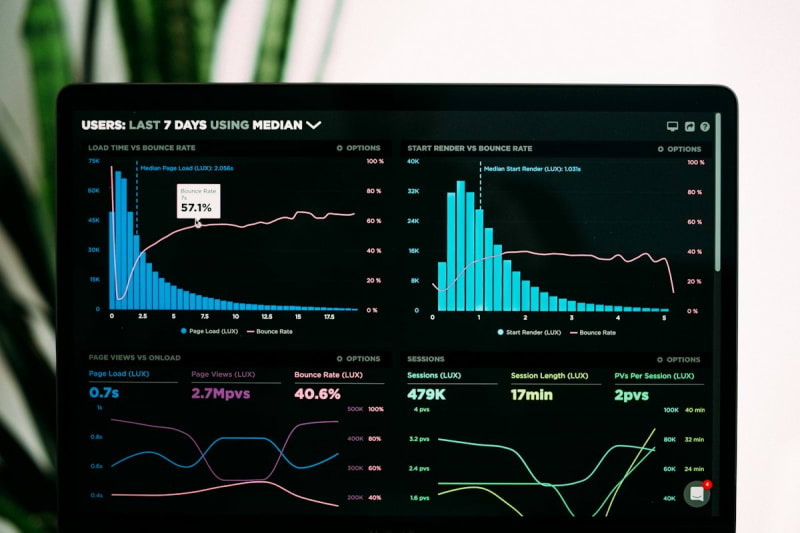
Website performance dashboard

1. Compress Your Images

Large images are the number one cause of slow pages. Resize them to the size you display and use modern formats like WebP or AVIF.

2. Use Lazy Loading Below the Fold

Load images further down the page only when users scroll near them. Do not lazy load the main image at the top.

3. Choose Better Hosting

Cheap shared hosting can be slow when traffic grows. Upgrade to a faster plan or a modern host with a global network.

4. Add a CDN

A content delivery network serves your files from a location close to each visitor, which reduces load time worldwide.

5. Enable Caching

Caching saves a ready-made copy of your pages so they do not have to be rebuilt for every visit.

6. Remove Unused Plugins and Scripts

Each plugin and tracking script adds weight. Delete what you do not use and review what remains.

7. Minify CSS and JavaScript

Minifying removes extra spaces and comments so files are smaller and download faster.

Developer optimizing a website

8. Limit Heavy Fonts and Animations

Use fewer font weights and avoid large animations or autoplay videos that block loading.

9. Keep Your Platform Updated

Updates often include performance improvements as well as security fixes.

10. Consider a Faster Framework

Modern frameworks like Next.js are built for speed with features such as server rendering and automatic image optimization.

Quick Checklist

  1. Test with PageSpeed Insights.
  2. Compress images.
  3. Turn on caching and a CDN.
  4. Delete unused plugins.
  5. Retest and compare.

Frequently Asked Questions

How fast should a website load?

Aim for the main content to appear in about 2 to 3 seconds or less on mobile.

Does website speed affect SEO?

Yes. Speed is part of Google's page experience signals and strongly affects user behavior.

Why is my site slow only on mobile?

Phones have slower connections and processors, so heavy images and scripts hurt more.

Final Thoughts

Speed is one of the easiest wins for more traffic and sales. Need help? Request a free website speed review.

Get new posts in your inbox

One email when a new post goes live. No spam.

Tags#website speed#page speed#web performance#web development
Share

Need help with your website?

Check our services, browse our portfolio, or get a free quote.

On this page

  • 1. Compress Your Images
  • 2. Use Lazy Loading Below the Fold
  • 3. Choose Better Hosting
  • 4. Add a CDN
  • 5. Enable Caching
  • 6. Remove Unused Plugins and Scripts
  • 7. Minify CSS and JavaScript
  • 8. Limit Heavy Fonts and Animations
  • 9. Keep Your Platform Updated
  • 10. Consider a Faster Framework
  • Quick Checklist
  • Frequently Asked Questions
  • How fast should a website load?
  • Does website speed affect SEO?
  • Why is my site slow only on mobile?
  • Final Thoughts

Need a website for your business?

We build websites that perform. Get a free quote in 24h.

Get Free Quote →

Explore more

  • Our web development services
  • See our portfolio
  • About Awais Tech Hub
  • Contact us

Related reading

7 Signs Your Business Website Is Losing You Customers

7 Signs Your Business Website Is Losing You Customers

Is your website quietly costing you sales? Check these 7 warning signs, from slow loading to missing contact buttons, and learn how to fix them.

Muhammad Awais Ali KhanNov 2, 20262 min read
How to Price Your Web Design or Freelance Services (Without Underselling)

How to Price Your Web Design or Freelance Services (Without Underselling)

Not sure what to charge clients? Learn the main pricing models for web design and freelance work, and how to set rates that are fair and profitable.

Muhammad Awais Ali KhanNov 2, 20262 min read
How to Automate WhatsApp and Email Follow-Ups Without Coding

How to Automate WhatsApp and Email Follow-Ups Without Coding

Stop losing leads because you forgot to reply. Learn how to automate WhatsApp and email follow-ups using no-code tools, step by step.

Muhammad Awais Ali KhanNov 2, 20261 min read
Awais Tech Hub

We build modern websites, web apps, and automation systems that help businesses grow. Our focus is simple: deliver quality work on time and create solutions that actually work.

Have a project in mind? Get a free quote →

Quick Links

  • Home
  • Services
  • Book a call
  • Portfolio
  • Blog
  • Pricing
  • About
  • Contact
  • Portfolio

Services

  • Professional Websites
  • Landing Pages
  • E-Commerce Stores
  • SEO & Performance
  • Website Security
  • Automation Solutions

Contact

  • info@awaistechhub.com
  • +92-317-4069814
  • Available Worldwide from Pakistan

Stay in the loop

One email when a new post goes live. No spam, ever.


© 2026 Awais Tech Hub. All rights reserved.

Privacy PolicyTerms of Service